
Polychrome
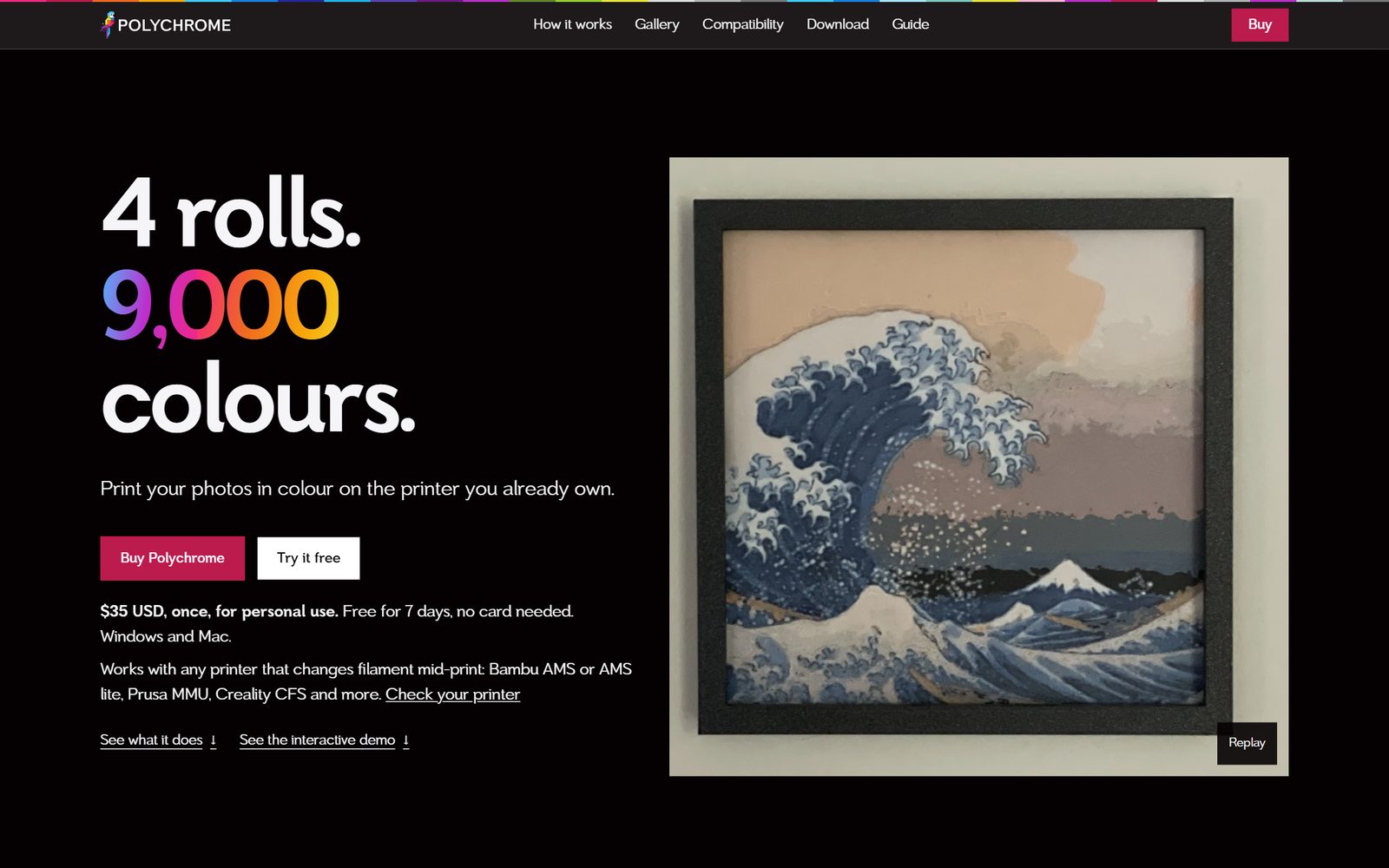
Polychrome is for a small, specific crowd: people with a 3D printer that can change filament partway through a print. What it does is hard to picture until you see it. A few rolls of plastic, stacked in a different order at every spot, become thousands of colours.
The site had to land that idea fast, on a phone, for people who know their printers well. It’s live now at polychrome3d.com.
A homepage built to convert
We built the homepage around AIDA, the classic sales sequence: attention, interest, desire, action. We kept it loose on purpose. Comparable apps don’t follow the formula one to one, and neither does this page.
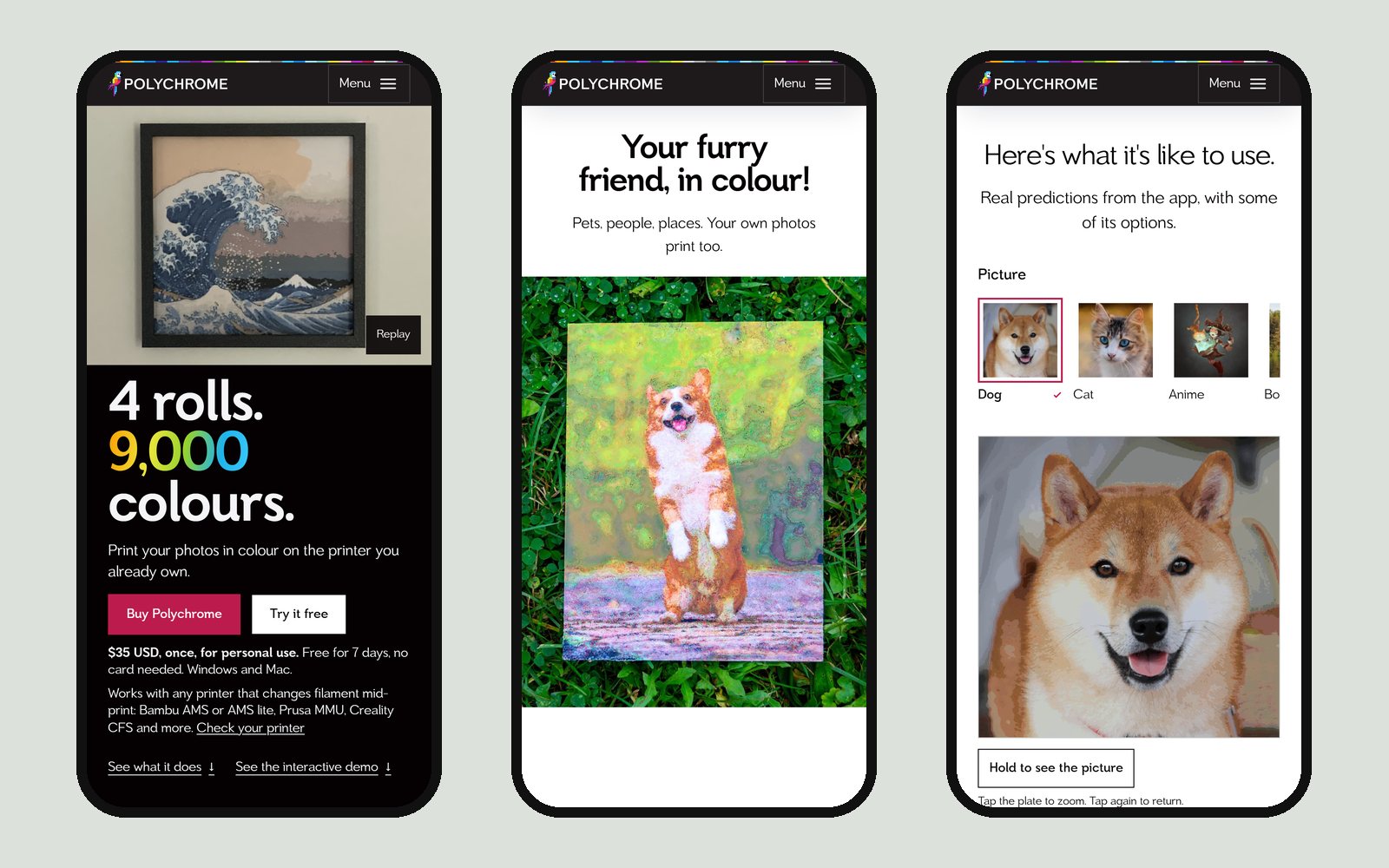
The hero gets attention by showing a complex idea quickly: four rolls of filament, about 9,000 colours, and a framed print to prove it.
Interest comes next. The software appears right away, so the question of what this actually is gets answered before anyone has scrolled far.
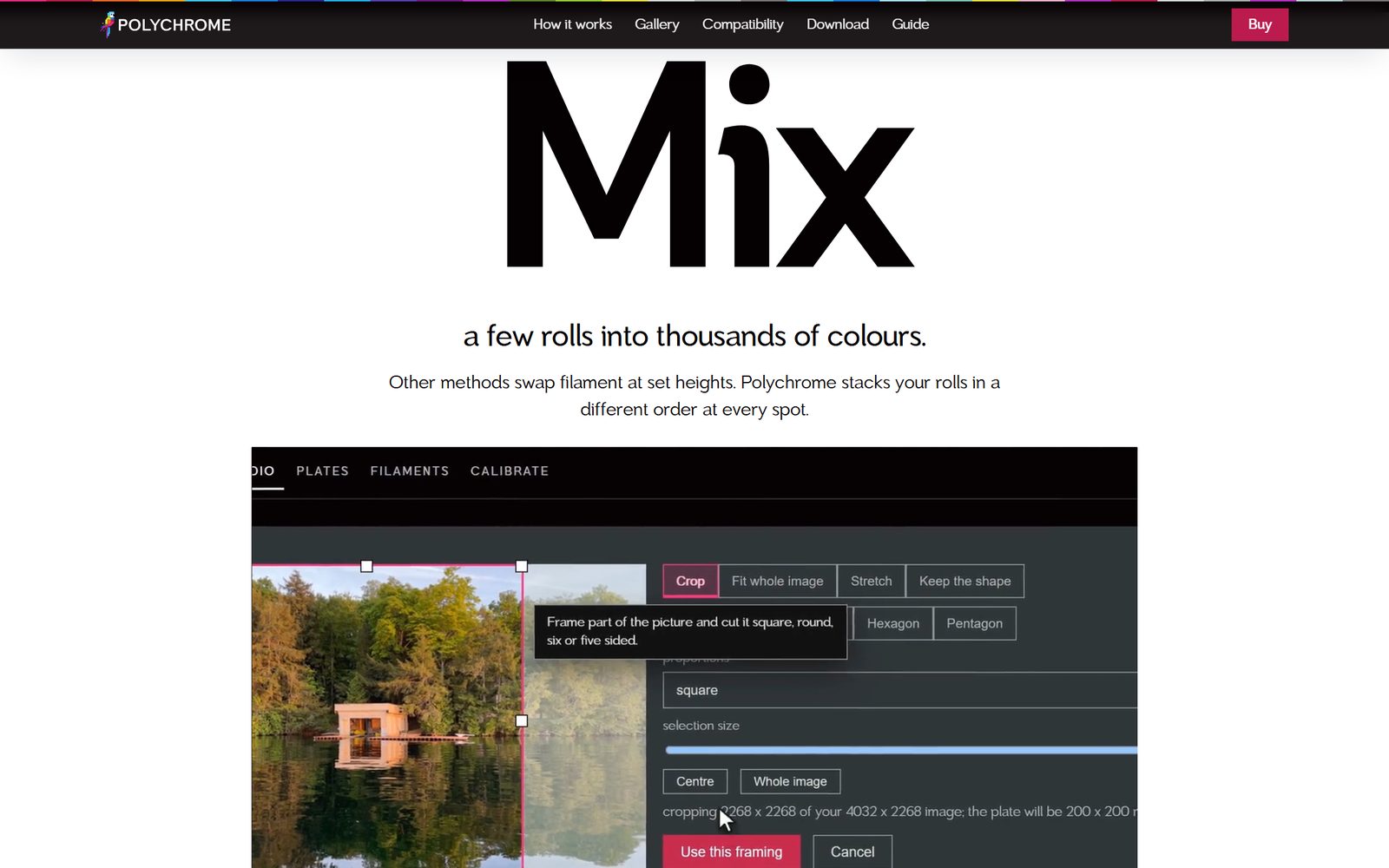
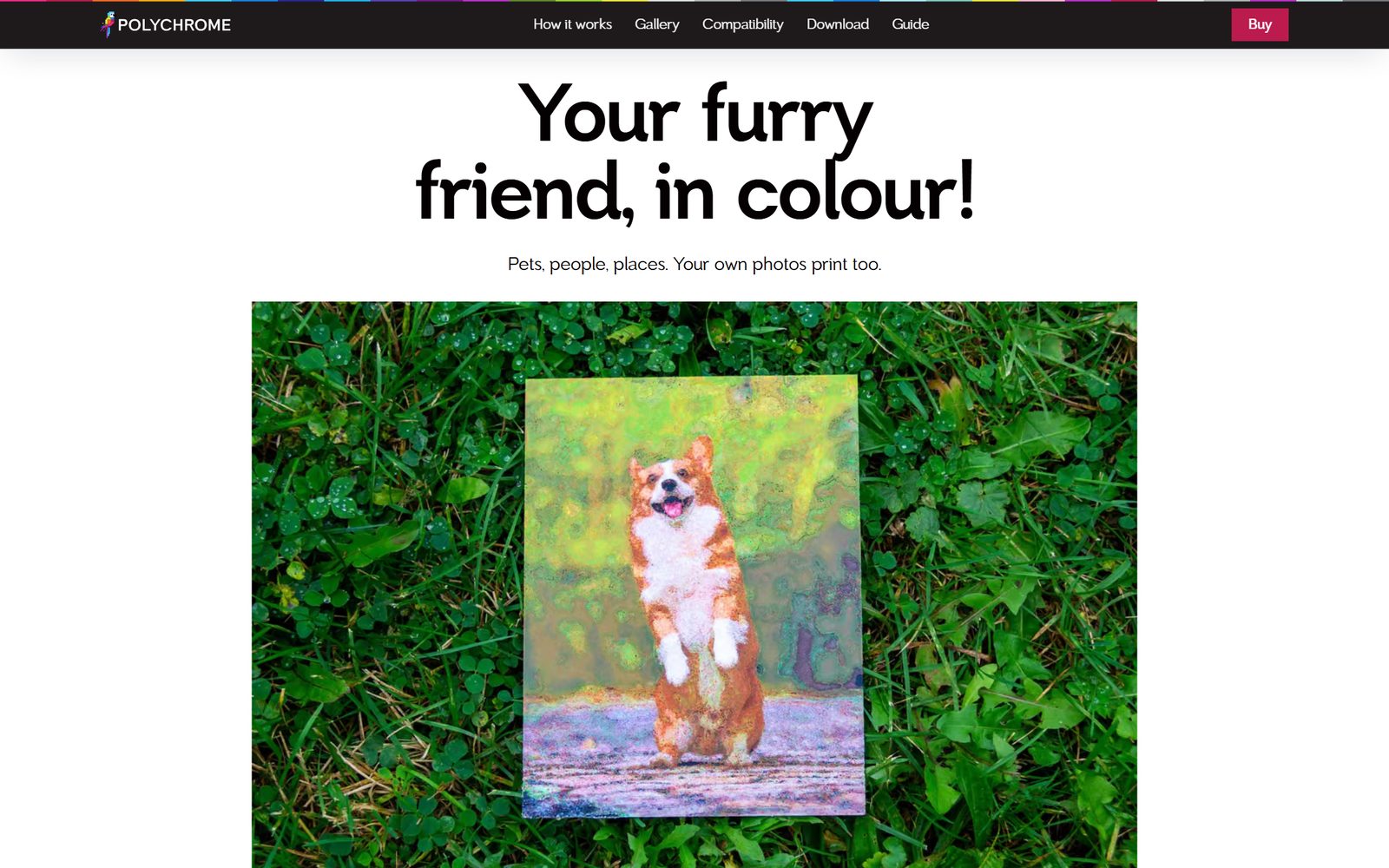
Then come the relatable examples: pets, people, the photos from last summer’s trip. Each one is something a visitor can picture printing for themselves.
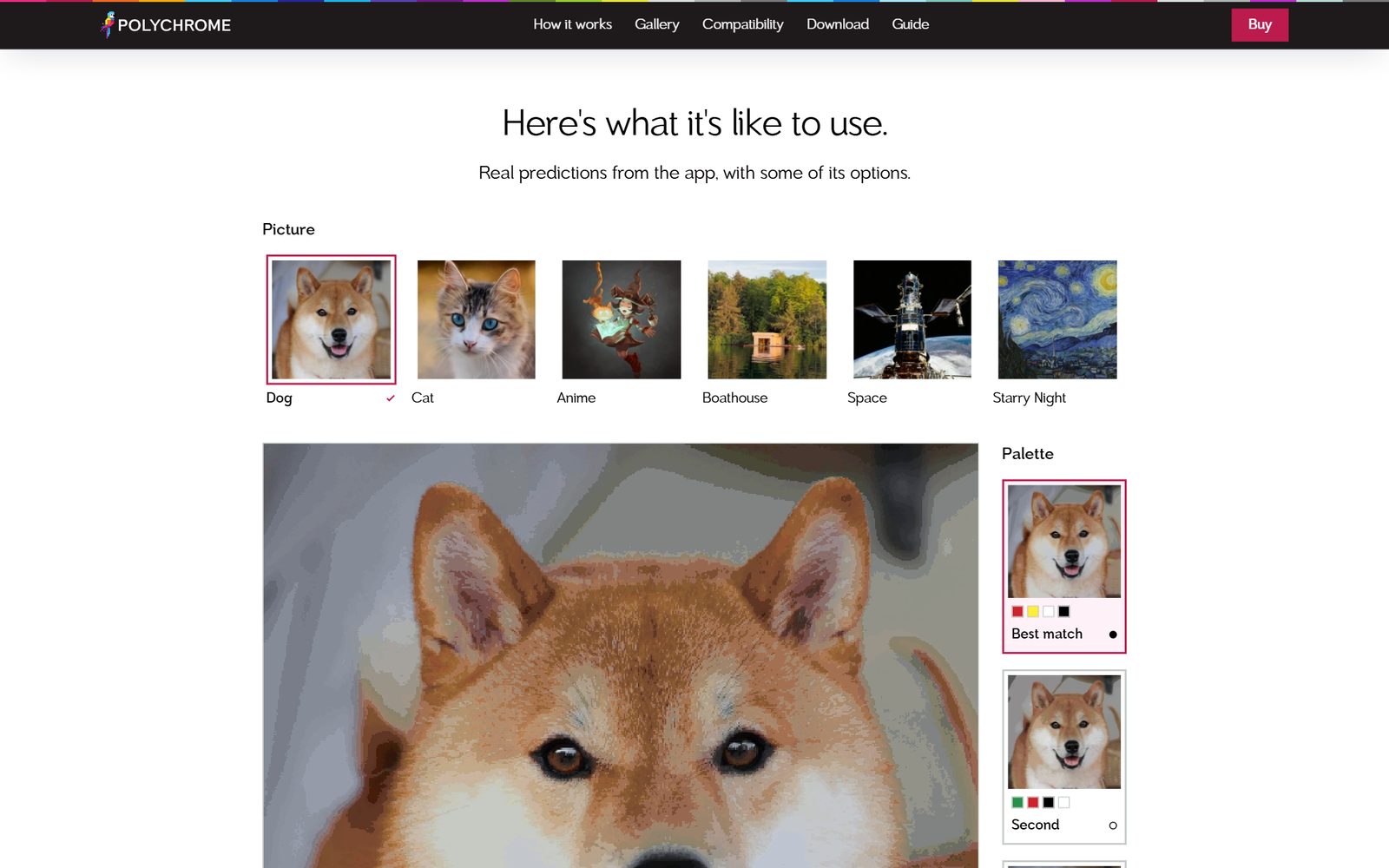
Desire is the job of the section called Here’s what it’s like to use. Visitors pick a picture and switch palettes on real predictions from the app, so they understand how it works, and feel a connection to it, before they’ve installed anything.
Action closes the page: more finished prints, then the buttons to buy it or try it free.
Designed for the phone first
The site was designed for a phone first, and the desktop layout grows out of it. Even the demo works with a thumb: tap a picture, tap the plate to zoom, hold to see the original.
Real prints, photographed for real
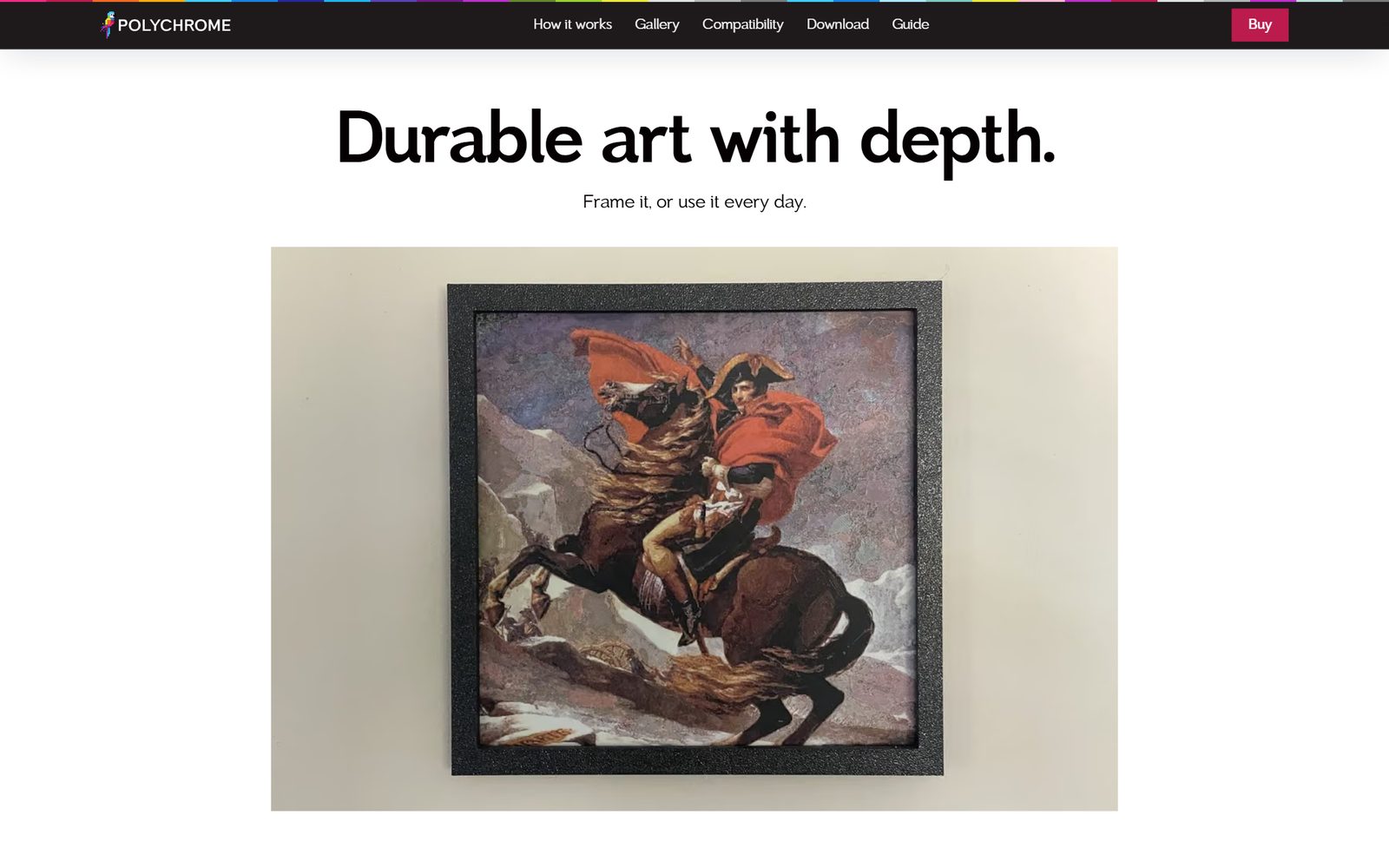
People who own 3D printers know what a real print looks like, and they can tell a render from a photo. So the site leans on real photos of real prints throughout: framed on a wall, on a table, in a hand. We chose not to set a print beside the picture it came from. The original always wins that contest, so a side by side only asks a buyer to accept less. A print hanging in a room makes the stronger case.
The copy follows the same thinking about the customer. Polychrome works with any printer that changes filament mid-print, so the site names a printer brand only where it’s a plain fact, and a compatibility page answers the question directly.
The brand we built for it.
Polychrome sells colour to people who take their machines seriously. The brand needed to feel new and still read as a serious tool, so the colours are simple and direct and the edges are square.
Logo

A pixel-art macaw beside the wordmark. The macaw is the classic subject for showing off full-colour printing, so it became the mark.
Colour
Magenta
#F42784
Raspberry
#BC1B4D
Buttons and links on the site.
Cyan
#1EB4EB
Yellow
#EBE63C
Lime
#96D22D
Plum
#721A87
Macaw Blue
#3ECDFF
Black
#050103
Every heading and paragraph on a light background.
Type
Toiban
Toiban, system-ui, sans-serif4 rolls. 9,000 colours.
One family for every heading and paragraph, in four weights.
IBM Plex Mono
IBM Plex Mono, ui-monospace, monospace16 colour layers
Small labels, and the checksums on the download page, where every character needs the same width.
The decisions
- The name
- Polychrome means many-coloured, from the Greek for many and colour. It describes the app exactly: every colour in a print is built from several filaments, stacked.
- Square edges
- Buttons, panels and pictures all have square corners. They read as a professional, serious tool, and they nod to the square columns the app builds every print from.
- The favicon is half a bird
- The whole macaw squeezed into a browser tab turns into a smudge. The icon keeps the head and body and drops the tail, so it still reads as a parrot at 16 pixels.
- Accessible by rule, on every deploy
- Every page is checked against WCAG 2.1 AA on every deploy, and the build refuses any change that breaks it.

Go and try it.
Polychrome is live at polychrome3d.com, with seven days free to try.
Built to sell software
The site is the whole storefront. It sells three licences through Gumroad, hands out downloads for Windows and Mac, and keeps a running list of what changed in every release.
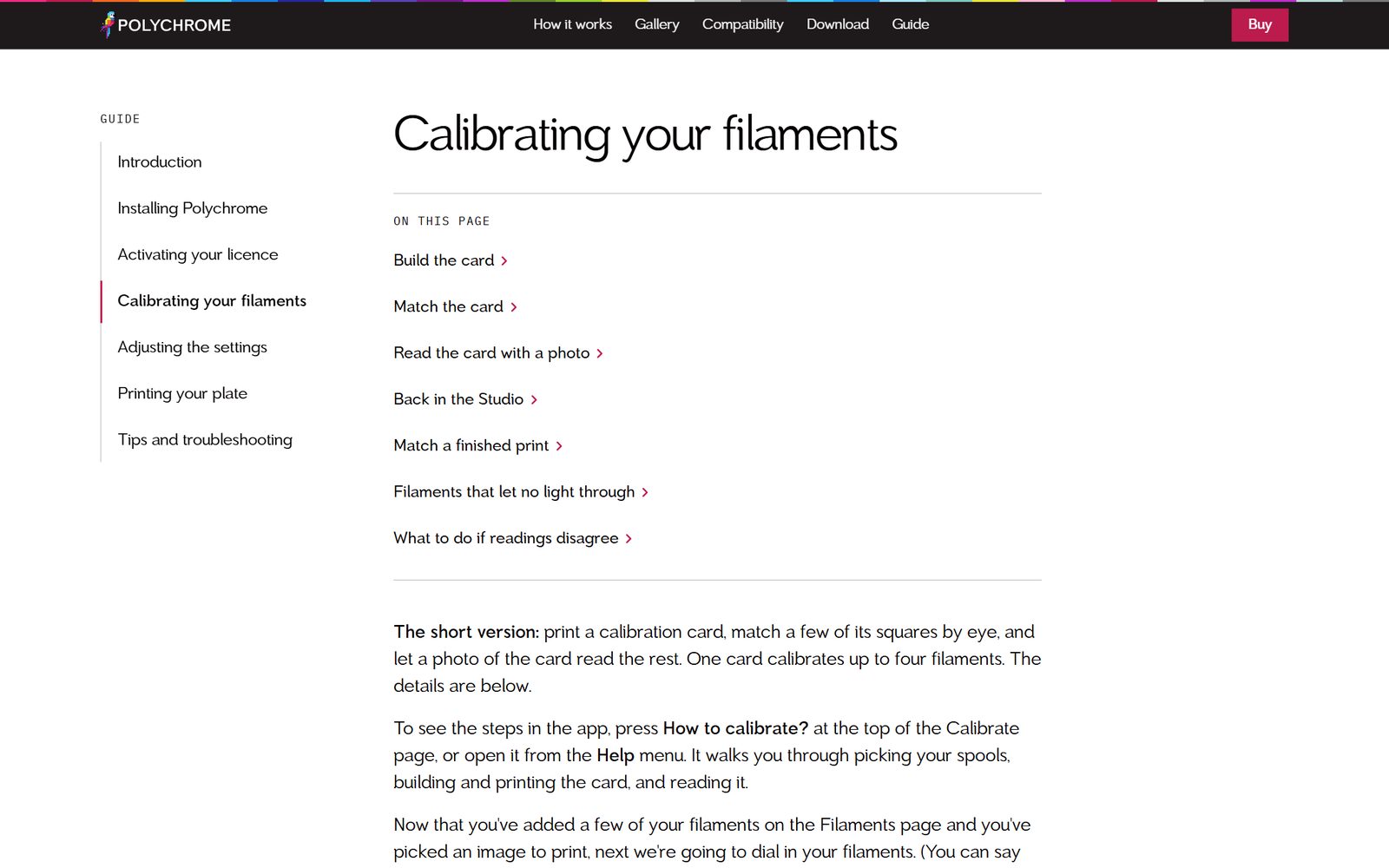
The user guide lives there too: seven pages in the same CMS as the rest of the content, so the instructions can change the day the app does.
Looking to build something cool?
Set up a free 20-minute call with us and tell us about your project.